1. Open GameData.cs file from Assets/FlyingPiggy2DRunner/Scripts/Game/Data.
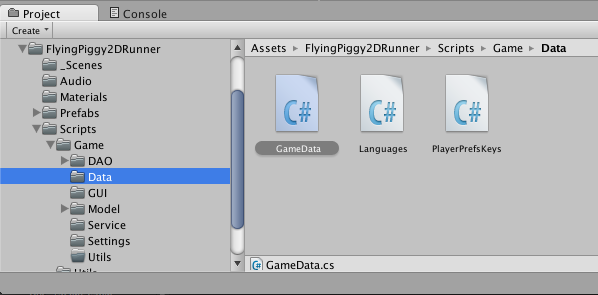
2. Add a new Mission object into the list of missions.
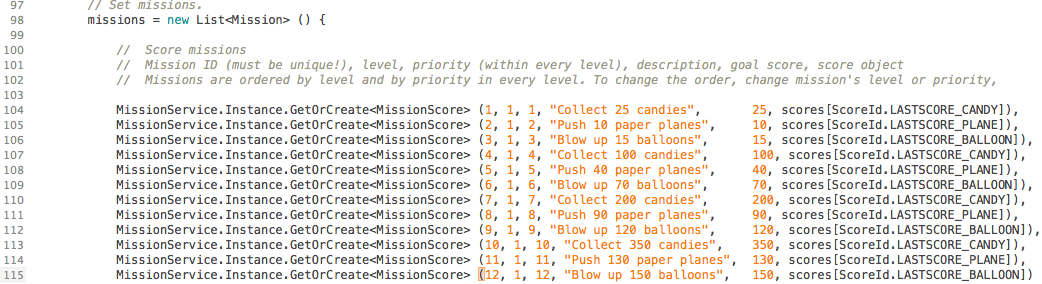
Example
Lets add a new mission, which has a goal to collect 150 candies.
MissionService.Instance.GetOrCreate<MissionScore> (13, 1, 13, "Collect 150 candies", 150, scores[ScoreId.LASTSCORE_CANDY])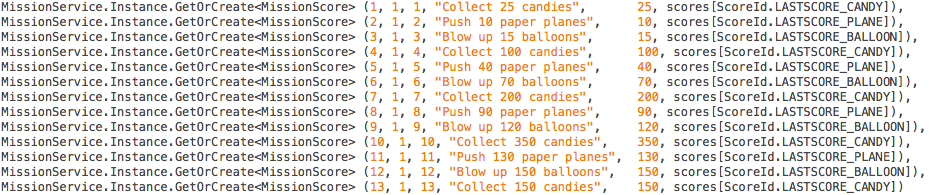
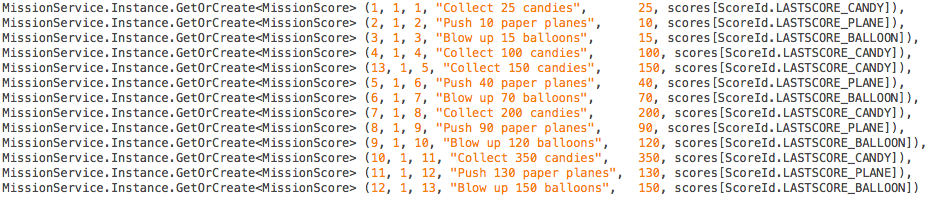
If you want to call this mission between “Collect 100 candies” and “Collect 200 candies”, just change the priority of the mission. Lets set the priority to 5, it’s between the priorities of the “Collect 100 candies” and “Collect 200 candies” missions.
MissionService.Instance.GetOrCreate<MissionScore> (13, 1, 5, "Collect 150 candies", 150, scores[ScoreId.LASTSCORE_CANDY]) 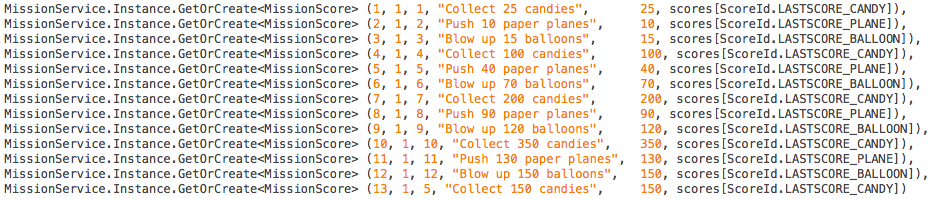
As you can see on the picture above, the priority of added mission is the same as the “Push 40 paper planes” mission. Priorities doesn’t have to be unique, but if you want execute missions in exact order, you can just increase priorities of following missions by one. For a better overview, lets shift last mission above “Push 40 paper planes” in the list also.
Please pay attention to the fact that mission’s id mustn’t be changed.